 Tidily
Photos Won't Sort Videos by Size. Here's How to Find the Ones Filling Your iPhone
Tested on iOS 27, October 2026
How we test: we follow every step on an iPhone simulator running iOS 27 with sample photos, and on a real iPhone. Menu names can differ on other iOS versions.
The Photos app on iPhone can't sort videos by file size. That's frustrating, because videos are usually the biggest files on your phone, and a few long ones can take up a lot of room.
Here are three ways to find your biggest videos anyway, checked on iOS 27 in October 2026.
Can you sort videos by size in the iPhone Photos app?
No. On iOS 27 the Photos app sorts by date and can't sort videos by file size. The iPhone Storage screen in Settings doesn't sort them by size either. To see your largest videos first, use an app that sorts by size (Way 3 below).
Why it's hard with Apple's tools
- No sort by size. Photos sorts by date. You can see how long each video is, but not how big the file is.
- Length isn't size. A short clip filmed in 4K or slow motion can be bigger than a longer video filmed at a lower setting.
- One at a time. Once you find them, you select and delete them one by one.
- No shrink option. Photos can't save a smaller copy of a video you want to keep. You either keep the full file or delete it.
Way 1: check iPhone Storage in Settings
This tells you how much space Photos uses, so you know if videos are worth chasing.
- Open Settings > General > iPhone Storage.
- Wait for the list to load. Apps are listed biggest first.
- Find Photos and check how much space it uses.
Tapping Photos won't show your biggest videos. Any videos listed there aren't sorted by size, so use one of the other ways to find them.
Way 2: browse the Videos album
- Open Photos and tap Collections.
- Scroll to Media Types and tap Videos. You can also get there from Library: tap the filter button, then Media Types.
- Look at the length shown on each thumbnail. Long videos are a good place to start.
- To see a video's file size, open it and swipe up. The panel shows the size and other details.
- Tap Select, pick the videos you don't need, and delete them.
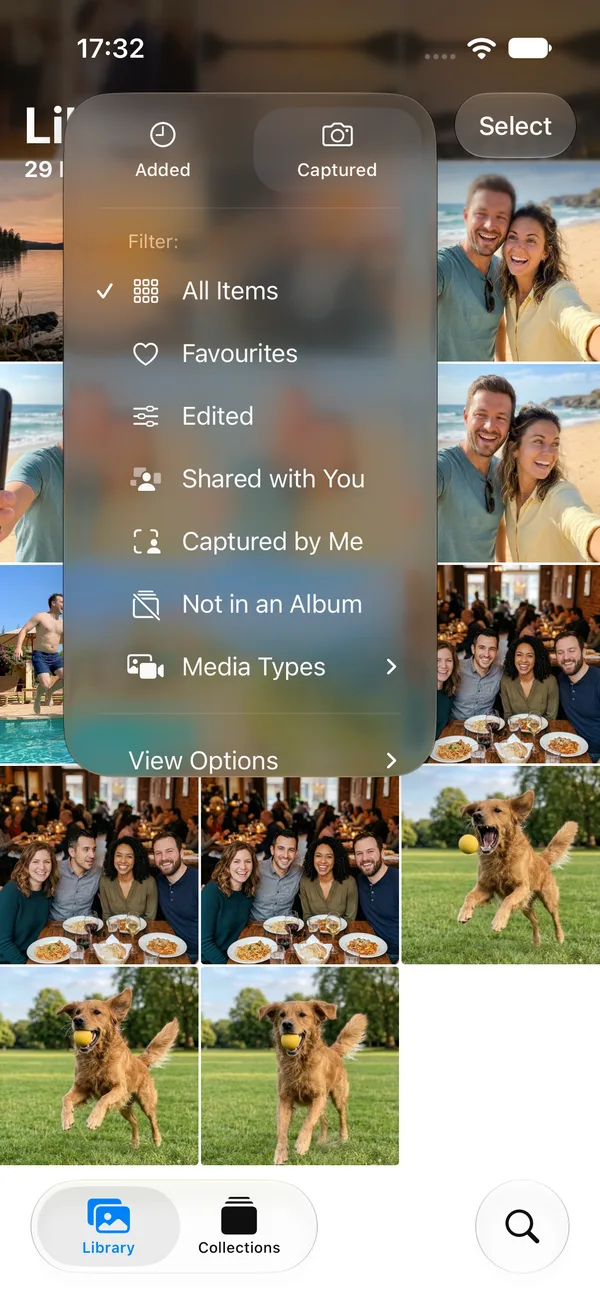
This works, but it's slow for a big library. You're guessing from the length and checking sizes one video at a time.
Why a short video can be bigger than a long one
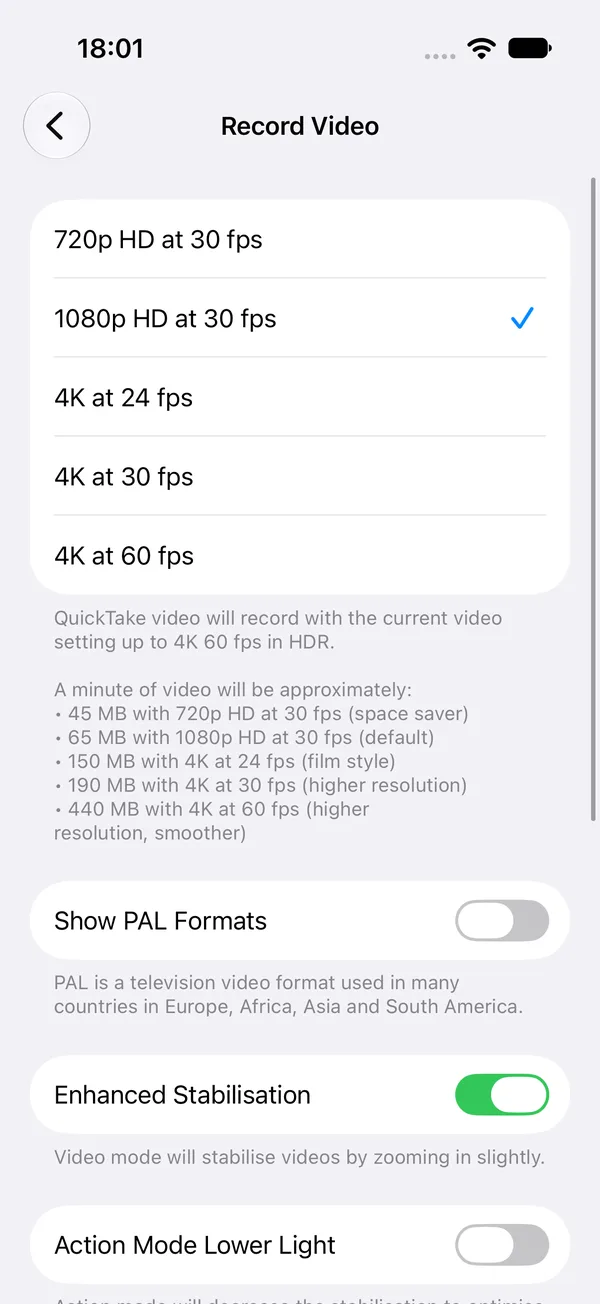
File size depends on resolution and frame rate as well as length. iOS 27 lists approximate sizes in Settings > Camera > Record Video. With Formats set to High Efficiency, it says a minute of video will be approximately:
| Setting | One minute of video |
|---|---|
| 720p HD at 30 fps (space saver) | 45 MB |
| 1080p HD at 30 fps (default) | 65 MB |
| 4K at 24 fps (film style) | 150 MB |
| 4K at 30 fps (higher resolution) | 190 MB |
| 4K at 60 fps (higher resolution, smoother) | 440 MB |
So a 10-minute clip at 4K and 60 fps comes to about 4.4 GB, while 10 minutes at 1080p and 30 fps is about 650 MB.
Way 3: use an app that sorts by size
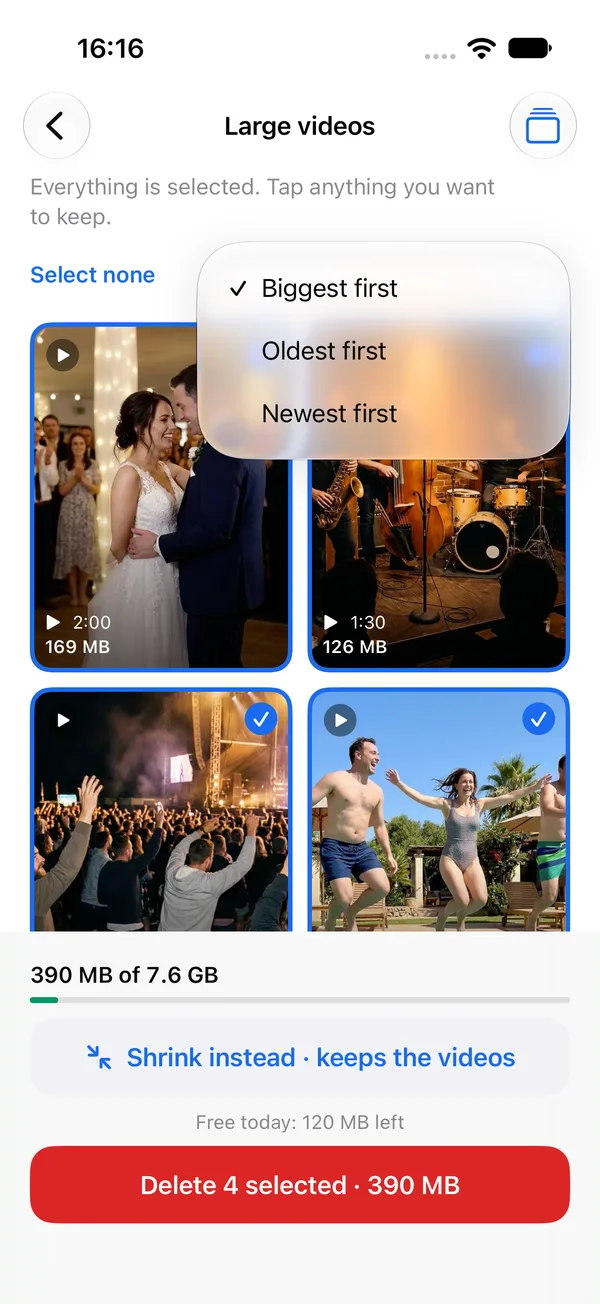
We make an app for this, called Tidily, so take this section with that in mind. Its Large videos group lists your videos biggest first, with the size on each one. You can also sort by Oldest or Newest.
Everything starts selected, so you untick the ones you want to keep and tap Delete selected once. iOS shows its own confirmation before anything is removed. If you'd rather keep a video, Tidily can re-encode it to a smaller HEVC copy at Light, Balanced or Strong, and shows the size before and after. The copy keeps the date, place and albums.
Tidily runs on your phone and doesn't upload anything. It's free to try. See how Tidily sorts iPhone videos by size and shrinks them.
What to do with the big ones
- Delete anything you've already shared, posted, or don't need: accidental recordings, duplicates of the same moment, long clips of a screen.
- Copy it somewhere first if you want to keep the full version but not on the phone, such as a computer or an external drive.
- Shrink it if you want to keep it on the phone. A smaller copy looks fine on a phone screen for most videos.
Videos are only part of it. For the rest, see 9 things to clear when your iPhone storage is full.
Don't forget Recently Deleted
Deleted videos stay in Recently Deleted for 30 days and still use space until then. To get the space back now:
- Open the Photos app.
- Tap Collections.
- Scroll down to Utilities and tap Recently Deleted. Your iPhone may ask for Face ID or your passcode, because this album is locked.
- Tap Select.
- Tap the ... button, then tap Delete All and confirm.
More on this in why your iPhone storage didn't go up after deleting videos.
Questions people ask
Can iPhone Storage in Settings show my biggest videos?
No. Settings > General > iPhone Storage > Photos shows how much space Photos uses. Any videos listed there aren't sorted by size.
How do I check the file size of a video on iPhone?
Open the video in Photos and swipe up. The panel shows the file size and other details about the video.
How can I make a video smaller on iPhone without losing it?
Save a smaller copy, such as an HEVC version at a lower resolution, then remove the original. Photos can't do this itself, so you need an app. Ours keeps the date, place and albums, and shows the size before and after.
Can the Photos app sort videos by size?
Not on iOS 27. Photos sorts by date. You can see each video's length and check its file size one at a time.
Why is a short video sometimes bigger than a long one?
File size depends on resolution and frame rate as well as length. A clip filmed in 4K at 60 frames per second takes much more space per minute than one filmed in 1080p at 30.
Does shrinking a video lose quality?
A little, and you choose how much. Tidily's Light setting keeps the most detail. Strong saves the most space and looks softer. You see the new size before you save it.